💡 Tip: You can search by any Ogunquit hotel, restaurant, store, or landmark to instantly find the nearest trolley stop. Try searching for Perkins Cove, Ogunquit Beach, or your hotel name.
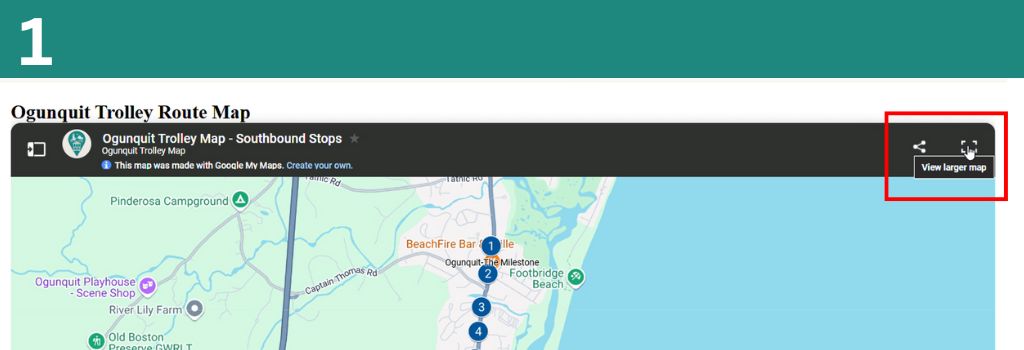
Click "View Larger Map"
Click the "View Larger Map" button in the top right corner of the map embed on our site. This opens the full Google My Maps version of the trolley map.
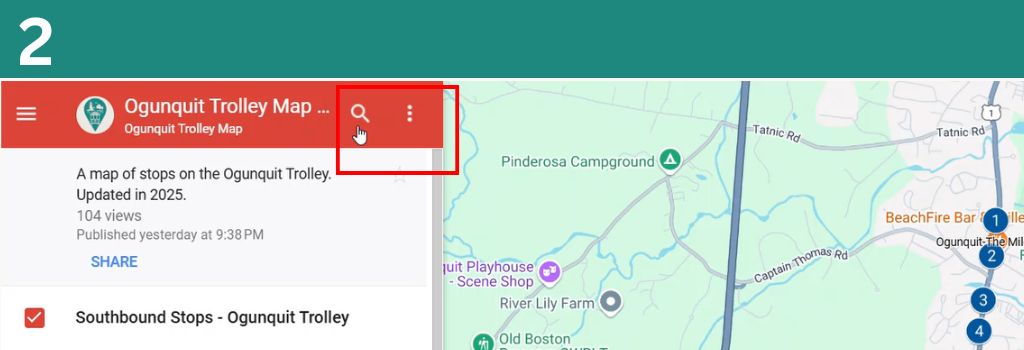
Click the Search Icon
Once the map opens in Google My Maps, click the Search icon (magnifying glass) in the top left panel next to the map title.
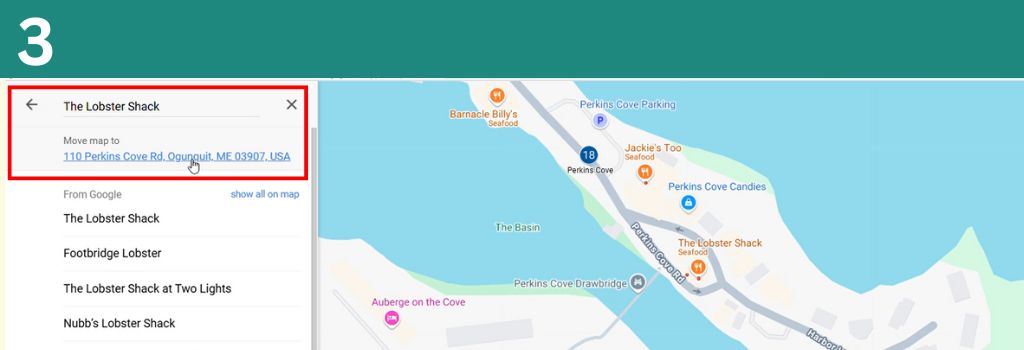
Enter Your Destination & Find the Nearest Stop
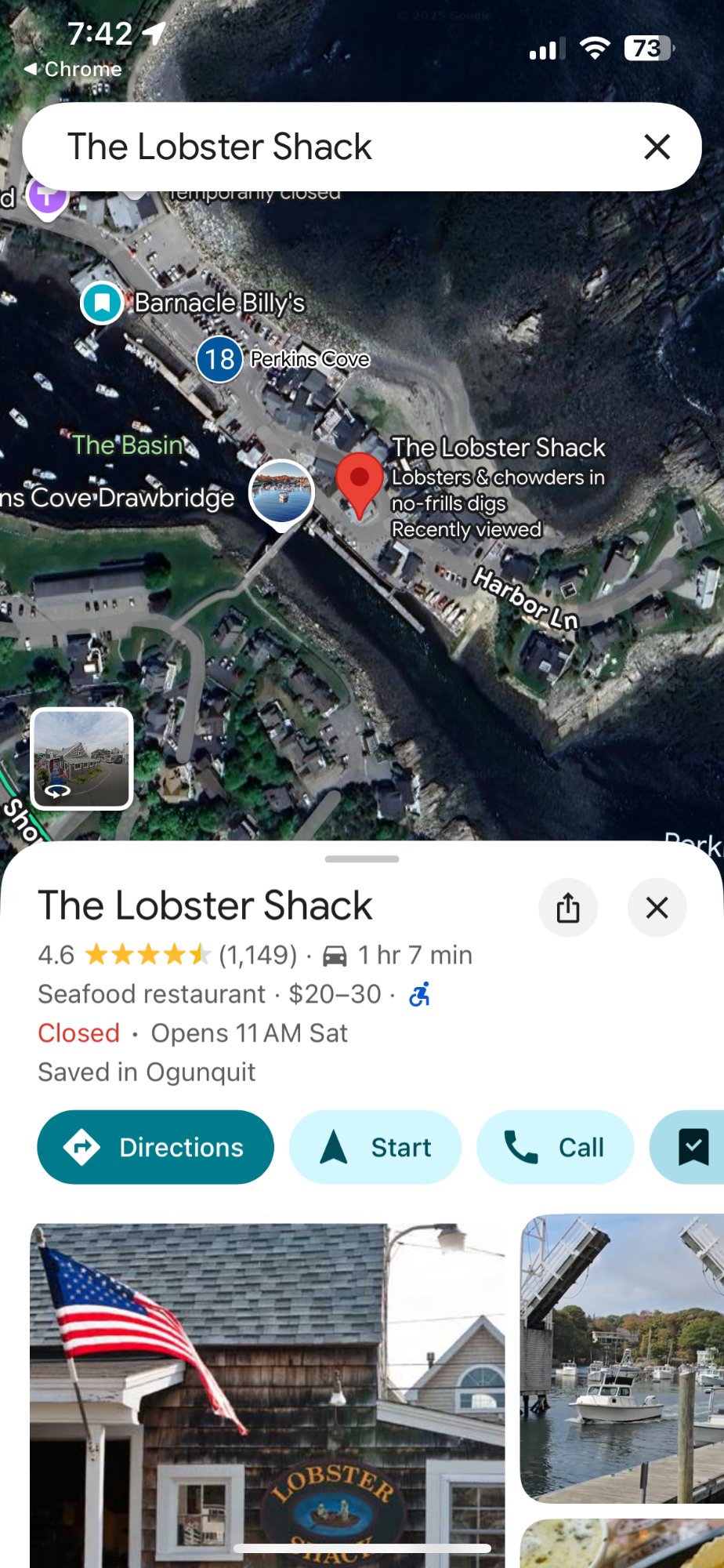
Type in the address or name of the place you're looking for, then click the location under "Move Map To". The map will center on that location — then simply find the closest numbered trolley stop nearby.
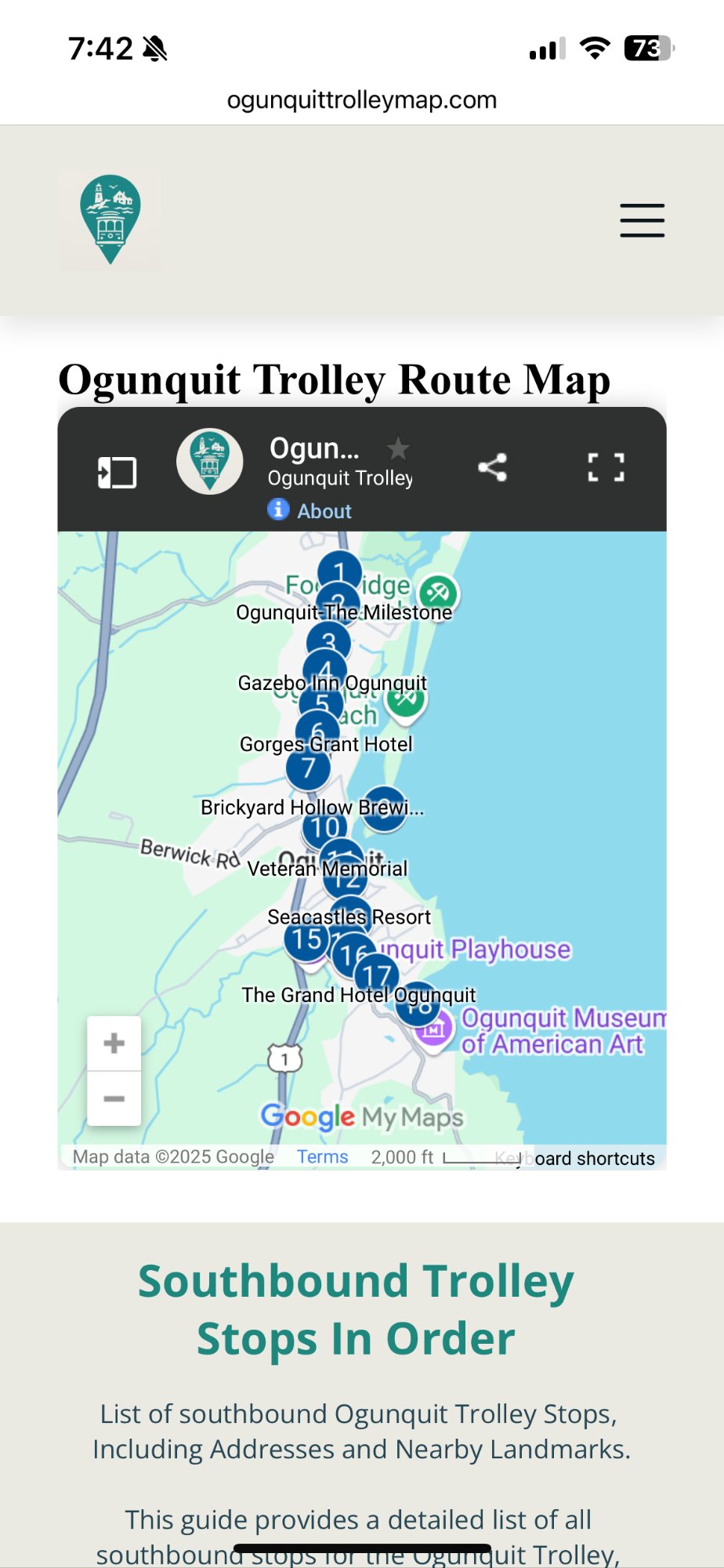
Click "View Larger Map"
Tap the "View Larger Map" button on the top right of the map. This opens the full interactive Google My Maps view on your phone or tablet.
Step 2 — Search for your stop
Enter the name or address of your hotel, restaurant, or landmark in the "Search Here" bar at the top of the map.
Step 3 — Find the nearest trolley stop
The map will move to your searched location. Find the closest numbered trolley stop to your hotel, restaurant, store, or landmark.
We Welcome Your Feedback
We are open to feedback on how to make the site and our maps better. If you have a suggestion or a way we can improve, reach out!